
Savvy Expense Pro companion app overview

Discover Savvy Expense Pro

Your Everyday Financial Companion

Log an expense, see your budget, set a goal. Savvy Expense Pro turns the chore of money tracking into a habit that actually feels good. No subscriptions. No clutter. Just clarity on your phone, tablet, and Mac.

Clarity Over Complexity

Why Choose Savvy Expense Pro?

We've stripped away the noise of traditional finance apps to create a premium, user-centric experience focused on the art of conscious spending. By combining an intuitive interface with powerful cross-platform capabilities, we've made managing your financial health simpler than ever.

Pay once, own it forever

Pay Once, Own it Forever

You'll get full access to Savvy Expense Pro on your devices for a small one-time fee. No subscriptions, ever! This includes future updates and new features at no extra cost.

Truly cross platform

Truly Cross-Platform

Experience total consistency. Track and sync your data seamlessly across iPhone, iPad, and Mac without missing a beat.

Simple and intuitive

Simple & Intuitive

Focus on your goals, not the software. Navigate a clean, responsive design built for speed, ease of use, and everyday habit-building.

Data privacy

Data Privacy

Your finances are your business. We prioritize your privacy so your sensitive financial data stays exactly where it belongs, safely with you.

See It In Action

From Zero to in Control In Under a Minute

You don't need a tutorial. Here's what your first 60 seconds look like:

Step 1

Log Your First Expense

Tap the floating Add button, pick a category, and enter the amount. It takes about 10 seconds. That's it, your first expense is recorded.
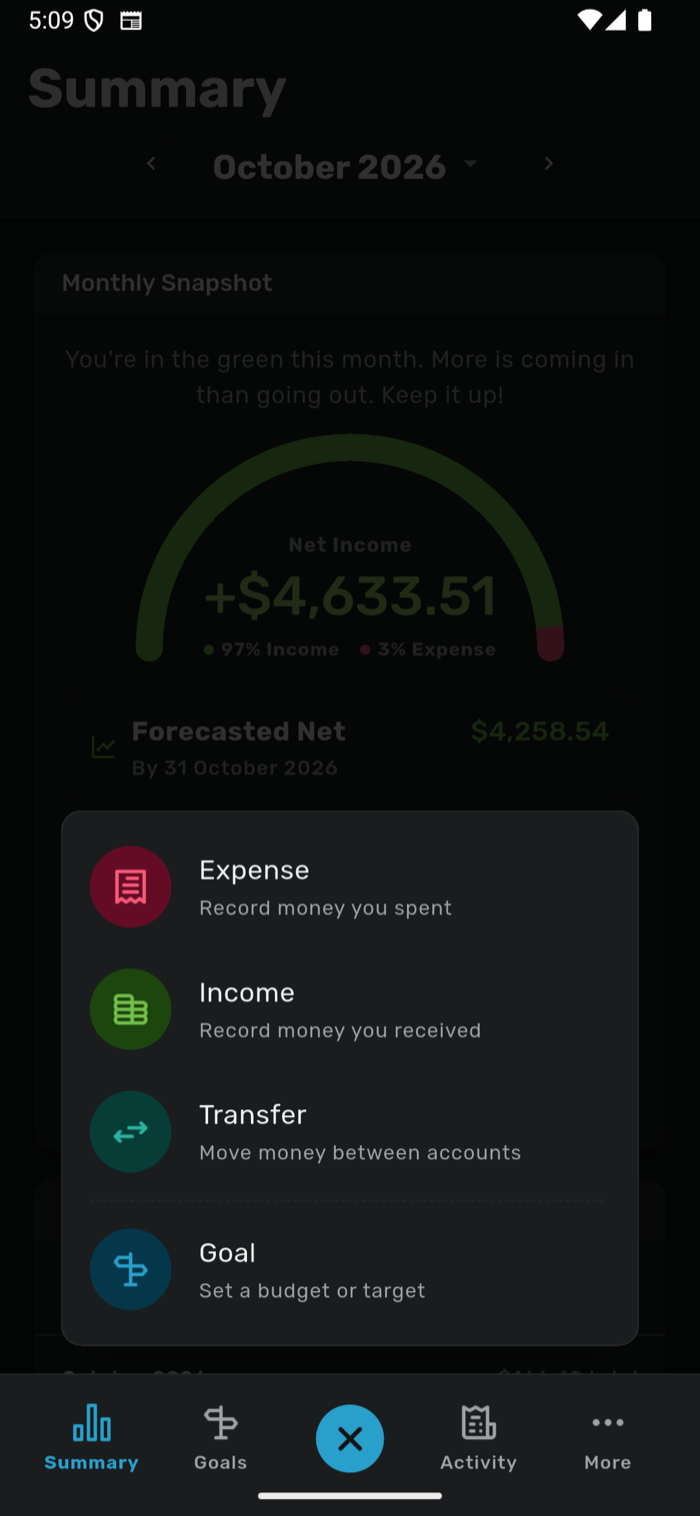
Savvy Expense Pro log your first expense
Step 2

See Your Financial Snapshot

Head to the Summary screen and watch the new dashboard update in real time. A spending gauge, plain-language guidance, and a forecast tell you where you stand right now, no digging required.
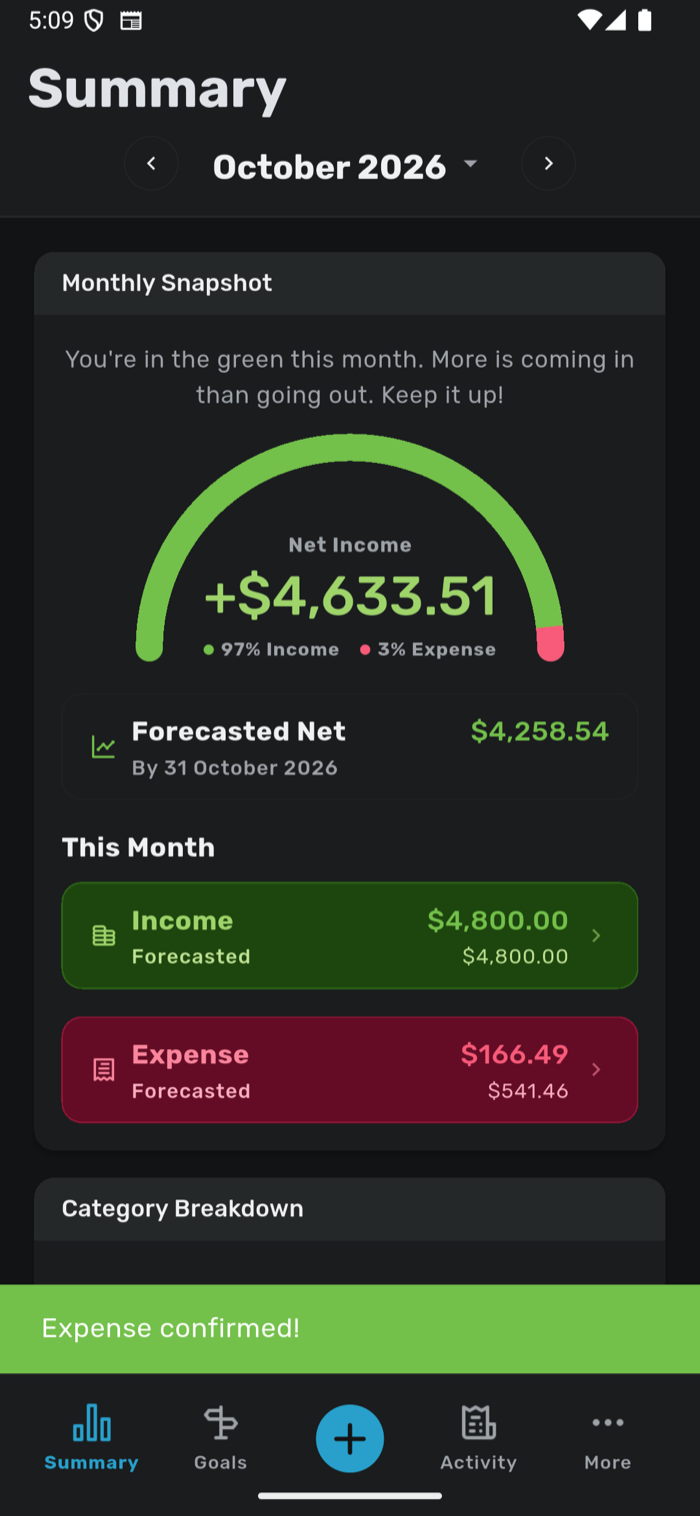
Savvy Expense Pro see your financial snapshot
Step 3

Set Your First Goal

Set a per-category spending limit, like "Dining Out: $200/month", and watch it turn from green (on track) to amber (caution) to red (over budget) as you spend. It's accountability without the guilt trip.
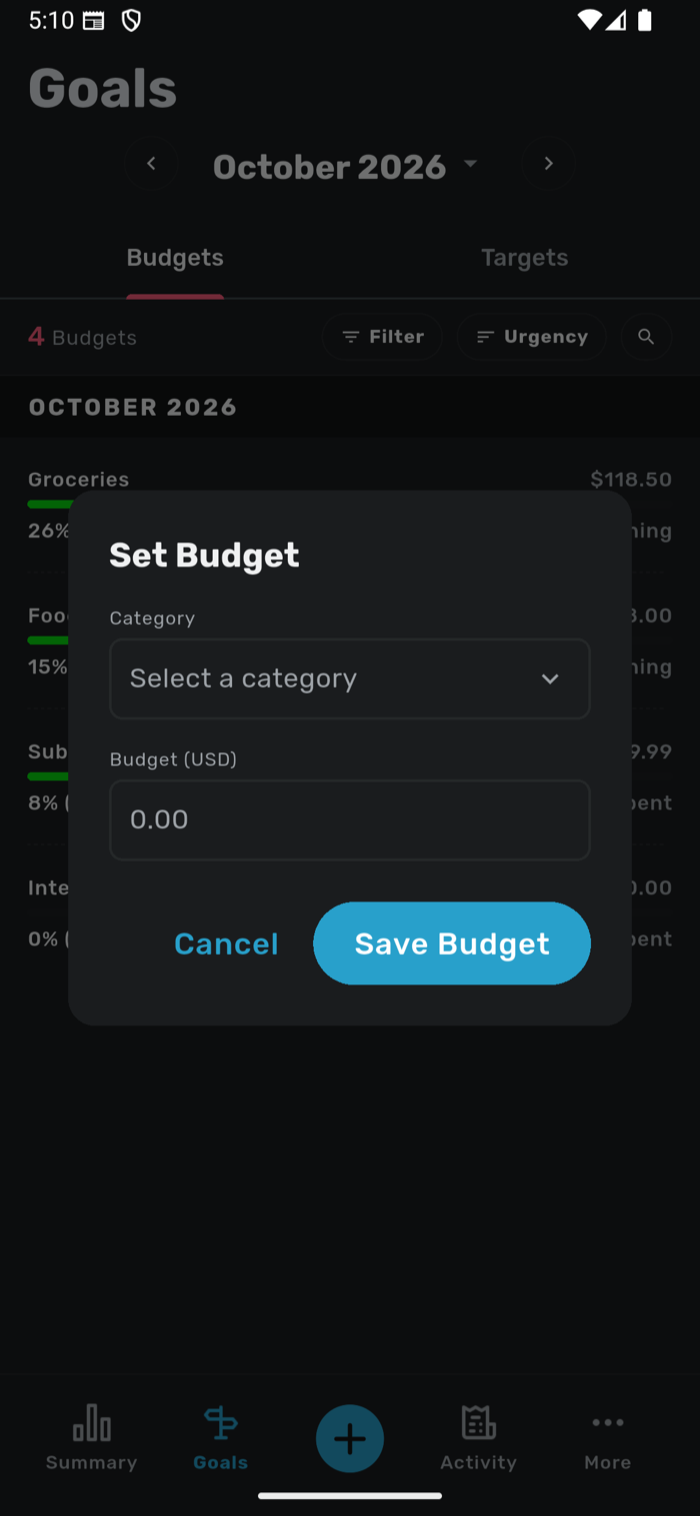
Savvy Expense Pro set your first spending goal
Step 4

See It On All Your Devices

What you logged on your iPhone is already synced to your iPad and Mac. Review deeper insights, manage your accounts, or check your planned transactions, all from the device you're using right now.

Savvy Expense Pro syncing across iPhone, iPad, and Mac
See Every Feature In Detail →

Your Financial Journey Awaits

Start Building Better Money Habits Today

Jump into Savvy Expense 2.0 with everything you need to stay financially on track for just $1.99!

Your path to financial clarity is one tap away! Download it on your iPhone, iPad and Mac today.